
Someone handed you their show.
A .cuefaro file holds a whole show: every sound cue, its notes and the exact version that was rehearsed. Get the free Cuefaro app, open the file, and the show is ready to run.
If this is your first show in Cuefaro, it is free with every feature.
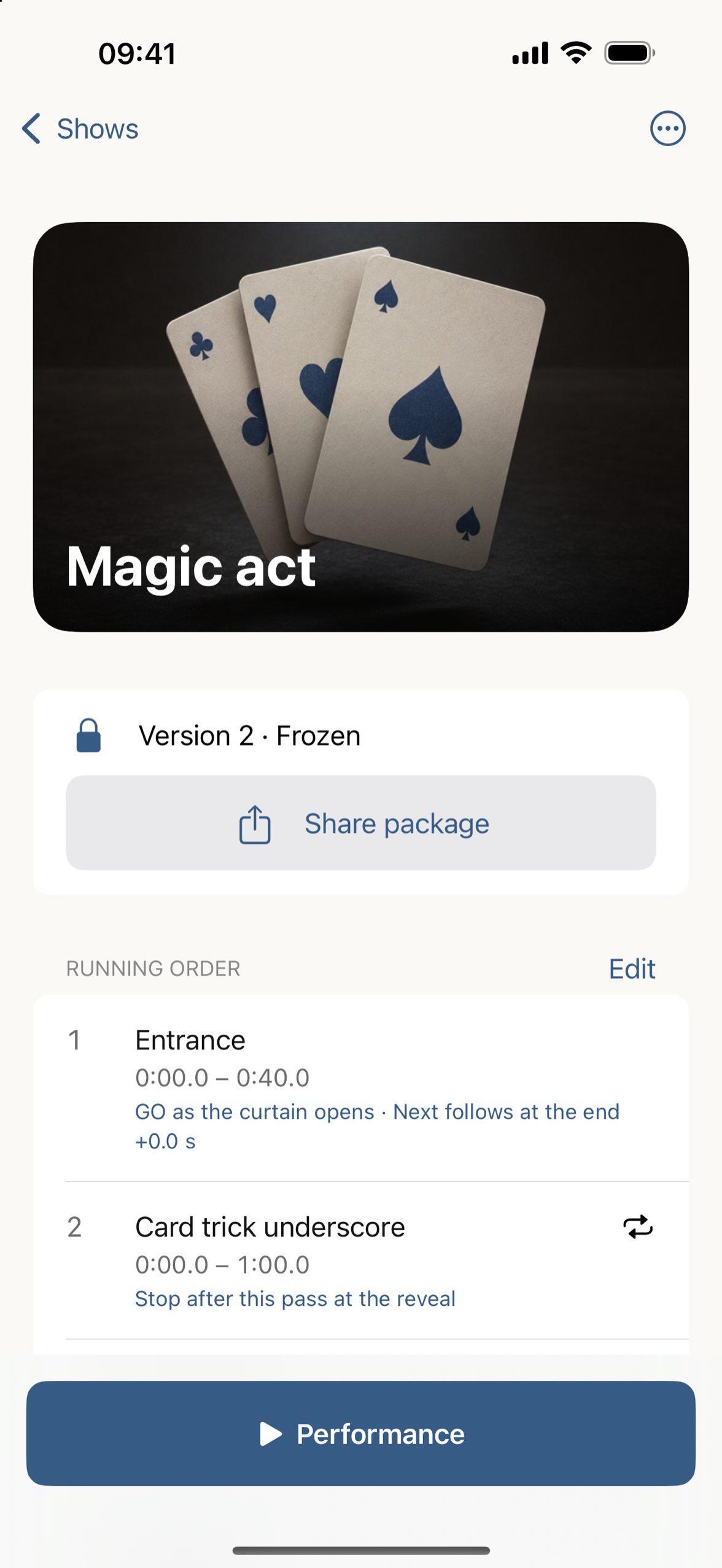
From the file to the first GO.
- Get Cuefaro. It is free on the App Store for iPhone and iPad and on Google Play for Android phones and tablets. No account is needed.
- Open the file. On iPhone or iPad, tap the .cuefaro file in Mail, Messages, Files or AirDrop and choose Cuefaro. On Android, tap it in your mail, chat or Files app and open it with Cuefaro.
- Check, then play. Cuefaro names the frozen version and checks every audio file before you play. A damaged or changed package is refused, and nothing in your library changes.
Before the show.
Does the show need a connection?
No. The audio travels inside the package and is copied onto your device, so the show plays offline.
How do I know it is the right version?
Every package carries a numbered frozen version with a checksum for each file. Cuefaro shows that number before you play, so you run exactly what was rehearsed.
The sender made changes. What now?
Ask for the new version. When you open it, Cuefaro asks whether to replace the show on your device or keep both, and the version number tells you which one you are holding. A replaced show waits in Recently deleted.
Does it work across iPhone and Android?
Yes. A package made on an iPhone or iPad opens on Android, and one made on Android opens on an iPhone or iPad.